
January arrives with full inboxes and thin cashflow. Your customers are back at work, SLAs are live, and overtime from last month still needs paying. If you run a UK contracting business, this is when scheduling either protects your margin or leaks it. The difference is simple, you either plan every visit with field context, or you gamble with a rota spreadsheet and hope for the best. In a tight month, hope is not a strategy.
This post shows how skills‑based scheduling with drag‑and‑drop calendars, status locking after client confirmation, and geo‑reactive dispatch help you cut overtime, reduce no‑shows, and hit on‑time delivery. You will see how this contrasts with manual tools and free schedulers, and you will get practical setup tips you can action this week. We will finish with clear wins you can measure in February, and a direct way to get TeamPoint scheduling live with training in January.
The January reality for UK contractors
Cashflow runs tighter after Christmas, and diaries are messy. Staff carry leave from December, customers expect fast response, and you may have a backlog of reactive calls. If you rely on a static rota spreadsheet or a basic free scheduler, three problems recur:
No skills context, so the wrong operative turns up and work is rebooked.
No travel awareness, so jobs run late and overtime climbs.
No status control, so confirmed visits still move and customers are frustrated.
Every one of these issues adds cost, from re‑visits and missed SLAs to parts wasted and unhappy clients. Multiply by ten sites and your January margin is gone.
What skills‑based scheduling changes
A live scheduler that matches operative skills to jobs removes guesswork. You see who is qualified for electrical testing, who can handle confined space entries, or who is approved for a specific client site. You drag a job onto the right person and time, and the system checks availability, travel and conflicts.
Skills matching, fewer re‑visits, higher first‑time fix.
Drag‑and‑drop calendars, fast replans when priorities change.
Lock after client confirmation, once a visit is agreed, it stays put and is marked as confirmed.
Geo‑reactive dispatch, when an emergency drops in, send the closest suitable operative, not just the next one free.
The result is simple, fewer surprises, tighter travel windows, and better utilisation. Your operatives spend their day working, not criss‑crossing postcodes or waiting for parts that were never loaded.
A day in January, two versions
Picture a drainage call at 10:30 in Reading. On a spreadsheet, you assign Tom because he looks free. At 10:10 you realise Tom lacks confined space certs, and the van he uses has the wrong kit. The job slips to the afternoon; the customer is not impressed; a second visit is booked; overtime accrues.
Now try it with skills‑based scheduling. The job pops into a planner with required competencies. Only qualified operatives are suggested. You pick Sarah, who has the certs and the right van stock, and the route is mapped with realistic travel time. The customer confirms the slot; the status locks; the calendar cannot accidentally move it. If a burst main appears nearby at noon, geo‑reactive dispatch offers the closest qualified backup without breaking Sarah’s confirmed visit. No drama, no overtime, higher first‑time fix.
Why free schedulers fall short
Free tools look good until field context matters. They miss the essentials you rely on in the UK contractor world:
No integrated skills filters, so matching is manual.
Weak or no holiday and leave overlays, so double booking is common.
No visit locking after client confirmation, so confirmed work still drifts.
No live job context, like risk assessments, photos, and materials used.
When your planning tool lacks job context, the office retypes details, the field improvises, and the margin suffers.
Practical setup tips you can implement this week
If you want January to be the month you fix scheduling, start with these steps:
Build templates for repeat works, set standard durations, travel buffers, and mandatory skills for common PPM tasks or statutory checks. Duplicate them for multi‑site clients. Enable multi‑operative assignments, for lift shut‑downs, heavy installs, or jobs needing an electrician and a mate, assign both with one drag.
Surface holiday and leave, show approved and pending leave directly on the planner. Include bank holidays and training days.
Open subcontractor access, give subs limited portal access to view assigned jobs, dates, files, and risk docs. Keep your master schedule in one place.
Lock after client confirmation, once the customer agrees, lock the appointment status. Only managers can edit, so your plan stays intact.
Switch on geo‑reactive dispatch, tag urgent calls by postcode or radius and filter by skill, vehicle type, or equipment access. You will reduce travel and response time.
Align stock with the schedule, link materials to jobs when you plan them so vans leave with what they need. Cut aborted visits.
These steps take hours, not weeks, and they pay off within the first pay period.
How this cuts overtime, no‑shows, and late arrivals
Overtime drops because drive time is realistic and routes are efficient.
No‑shows fall because confirmed visits lock on the calendar, and operatives get mobile notifications with job files and risk details.
On‑time delivery improves because geo‑reactive dispatch sends the closest capable operative, not just whoever is free in theory.
Add mobile proof of work, before and after photos, signatures, and you also speed invoicing and reduce disputes.
Answers to common questions
What is the best app for work schedule? For UK contractors, the best app combines skills‑based planning, drag‑and‑drop calendars, mobile updates, and appointment locking. Tools that sit inside a broader job platform save the most time because they carry quotes, risk assessments, photos, and invoices with the job. TeamPoint is built for this end‑to‑end flow.
How to keep track of employee schedules? Use a shared live planner that shows shifts, confirmed jobs, travel, and leave. Give field staff a mobile app that syncs jobs, statuses, and notes. Set manager‑level permissions to adjust plans and lock confirmed visits. Avoid spreadsheets that hide conflicts and offer no audit trail.
What is the best project scheduling software? For field‑heavy work, the best option merges project and job scheduling with resource skills, stock, and risk compliance. If you manage recurring PPM and reactive call‑outs, choose software that handles both planned works and emergencies in one view.
Does Microsoft have a work scheduling tool? Microsoft provides tools like Excel, Outlook, and Planner which many teams start with. They are useful for basic coordination, but they do not provide field context like skills filtering, visit locking, geo‑reactive dispatch, mobile risk capture, or integrated job invoicing.
What is a job tracking system? It is software that records every stage of a job, from quote and schedule to photos, signatures, materials used, and invoice. A good system provides live status to the office and a clear audit trail for customers and compliance.
Where TeamPoint fits
TeamPoint brings scheduling, mobile field updates, risk assessments, stock, and invoicing into one platform. You plan with skills, lock confirmed jobs, dispatch based on location, and track progress live. Your team spends less time on admin and more time completing work first time. If you want to explore further reading, see how our customers manage jobs and utilisation with job tracking.
You can also look at our dedicated job scheduler app overview for a deeper dive into planner features that cut wasted miles and overtime.
Measurable wins to target in February
Set a baseline now and measure again in four weeks:
Fewer re‑visits, aim for a 20 to 30 percent reduction by enforcing skills matching and van stock checks at scheduling.
Higher first‑time fix, add mandatory files and risk forms to jobs to raise right‑first‑time outcomes.
Better utilisation, target a 10 to 15 percent lift by reducing dead travel and double booking.
Faster invoicing, with signed approvals and photos attached to completed jobs, batch invoice without chasing paperwork.
Make January count
Tighter margins are a reality in January, but they are not a sentence. With skills‑based scheduling, locked confirmations, and geo‑reactive dispatch, you protect profit on every job. Implement TeamPoint scheduling and training this month and start February with fewer re‑visits, higher first‑time fix, and a calmer office.
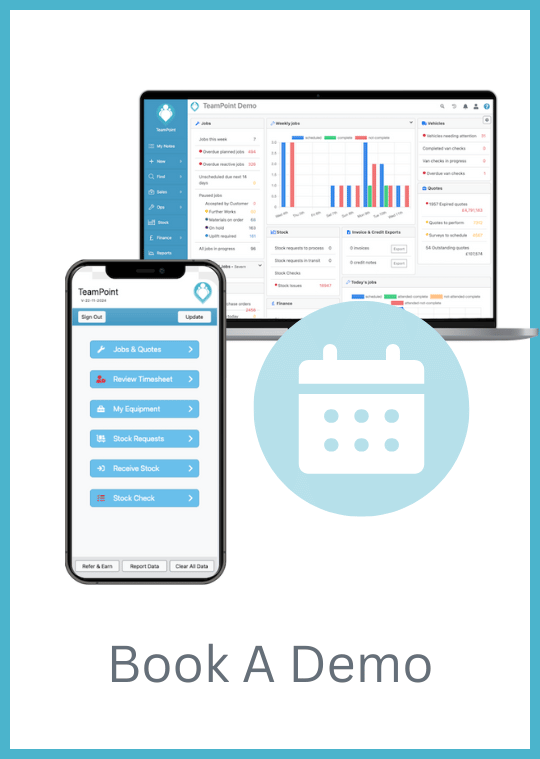
Ready to see it in action? Book a quick walkthrough, and we will configure your planner, templates, and permissions so your team is live within days.


 Copyright © 2024. TeamPoint Software Ltd