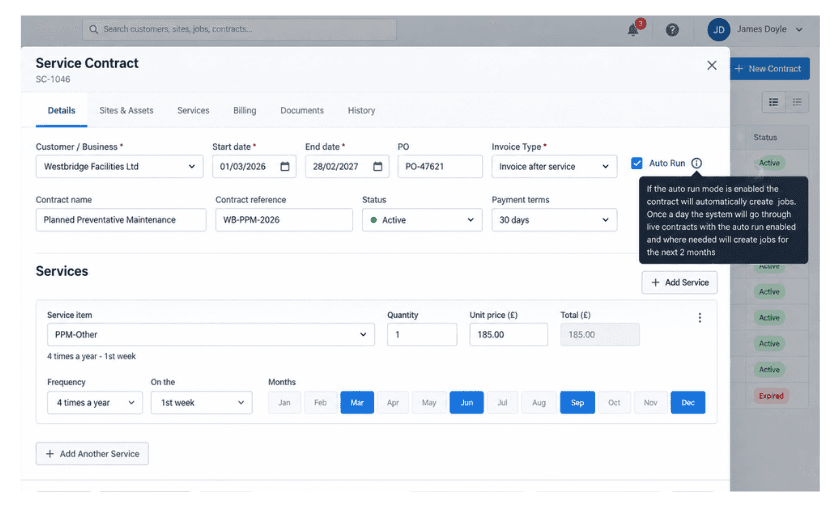
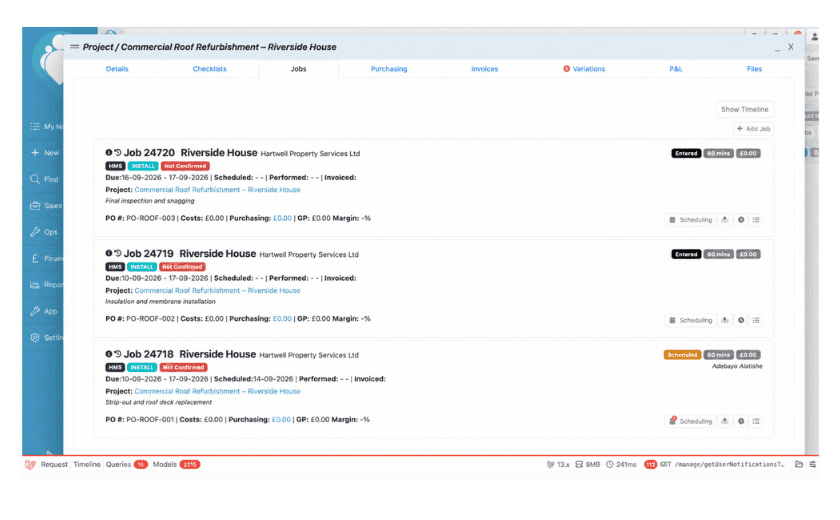
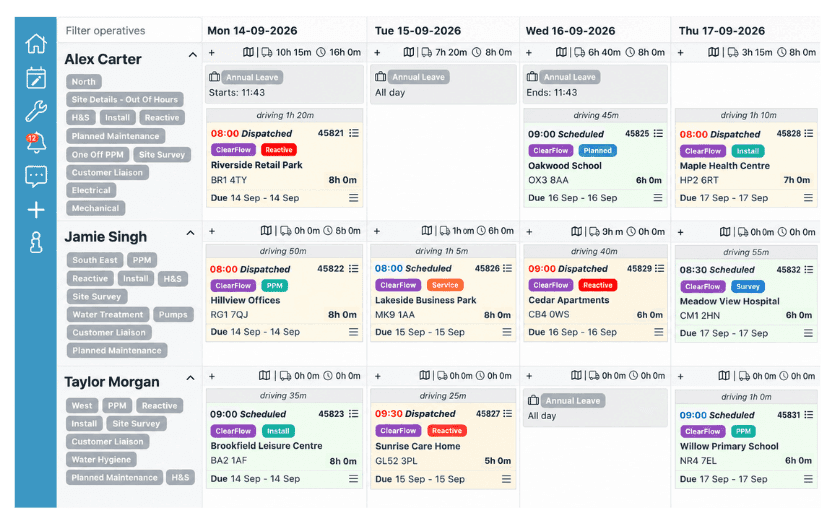
Each Project job can be scheduled using the normal TeamPoint controls, including operative, date, time, duration and Scheduled or Dispatched status.
This means larger or more complex work can be broken into the individual visits needed to deliver it while keeping those visits connected to the same Project, customer and wider job record.
Plan first, dispatch when the schedule is ready.
TeamPoint separates Scheduled work from Dispatched work. When a job is first placed into the calendar, it can remain Scheduled while the planner builds and adjusts the day, week, month or beyond. That gives the office room to balance geography, workload and availability without every tentative change immediately being pushed out to the people carrying out the work.
Once the plan is ready, clicking Dispatch sends the confirmed work to the operative’s mobile device. Individual jobs can be dispatched one at a time, or all of the jobs on the loaded schedule can be dispatched together.
If something changes after dispatch, the schedule can still be updated. A job might need to move because another urgent call has come in, an appointment has changed or the original plan needs adjusting. The revised information is then updated on the operative’s mobile app. If they are temporarily out of signal, the app synchronises the change as soon as a connection becomes available again.
From there, the mobile app remains connected to the office schedule rather than operating as a separate system. Status changes made by operatives can update the schedule automatically, with stages including Scheduled, Dispatched, On Route, In Progress and Complete, allowing office staff to follow the progress of work through the day.
You can read more about working on site with the TeamPoint mobile app, including job information, forms, photos, signatures, further work and offline working in our article, 'Working on site with the TeamPoint mobile app.'
If further work is identified on site, operatives can also suggest or request recall or follow-on work from the mobile app so that it can pass back into the office process rather than being lost in a phone call or note.
:quality(90) "Side-by-side TeamPoint screens showing the same dispatched job in two places: the office scheduling view on the left and the matching mobile job view on the right.")
TeamPoint makes it easier to adapt when the day changes.
In the real world, things do not always run to plan. A job may take longer than expected, a customer may move an appointment, or a burst pipe may suddenly bring a ceiling down at the embassy. Whatever the reason, the schedule needs to be able to change with the day rather than fall apart the moment something unexpected happens.
TeamPoint supports multiple office schedulers working in the same plan at the same time. If one person moves or reschedules a job, the change appears automatically in the other schedulers’ views without the need to refresh the page. In a larger operation, where different people may be planning separate teams or regions, this means everyone is working from the same current picture rather than from their own version of events.
For a wider look at how TeamPoint supports customer communication and the relationship around the work, read From First Enquiry to Ongoing Service: Managing Customer Relationships in TeamPoint.



:quality(90))

:quality(90) "TeamPoint Job Priority tool showing live jobs ranked by priority to help planners identify and schedule the most urgent work.")