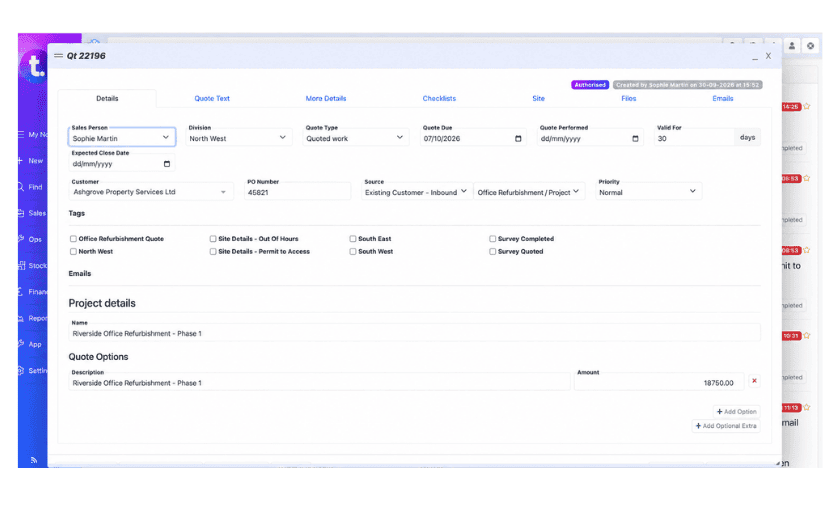
Alternatively, you can create a project manually when the contract has already been agreed or you're transferring existing work into TeamPoint.
Each project belongs to a customer rather than an individual site, so it can include work at any number of that customer's properties.
You can read more about this process in From Quote to Invoice: How TeamPoint Keeps the Commercial Process Connected.
Breaking the project into manageable chunks
A project doesn't have to be enormous.
Take a contractor replacing the roof on a single property. Instead of recording everything as one job, they might divide the contract into removing the existing covering, carrying out structural repairs, installing the new roof, replacing guttering and completing work to a porch. Each activity becomes an individual job that can be scheduled, assigned, documented and completed separately.
Meanwhile, the project keeps the work, purchasing, variations, invoices and recorded costs connected. The same approach works for a heating installation involving surveys, preparation and commissioning, or a refurbishment requiring several trades.
The individual jobs tell you what's happening on site. The project brings the whole contract together.
Keeping the information organised
TeamPoint's project record contains dedicated areas for Details, Checklists, Jobs, Purchasing, Invoices, Variations, P&L and Files. Projects have their own agreed value, customer purchase order number, description, tags and statuses, including Planned, In Progress, On Hold, Waiting Final Payment and Completed.
Checklists help organise requirements and actions, and can be copied from similar projects. Notes and follow-ups provide further ways to keep track of what needs attention. The project list gives managers an overview of current contracts, including their statuses, values, checklist progress, linked records and financial figures. Projects can also be searched, filtered and exported, subject to user permissions.
Different staff can have different levels of access, helping businesses control who can create, manage or view project information.
:quality(90))