
Job management software for solar PV installers
Solar Installer Softwaremade easier
For solar PV and battery installers managing surveys, installations and handover
TeamPoint helps solar installation businesses manage every stage of a project — from initial enquiry and survey through to installation, compliance, and customer handover.


BUILT FOR SOLAR INSTALLERS
TeamPoint is designed to reflect how solar businesses actually operate, helping you manage projects consistently while keeping office teams, installers, and customers connected throughout the process.
From the first enquiry and survey to installation, commissioning and handover, every stage of each installation is recorded in one place, along with the documents, photos and certificates that go with it.
If there was ever anything that we needed to find out, you could just drop an email or pick up the phone and they would always help you out.
 Helen Thompson, Compliance OfficerGoslyn Environmental Systems
From enquiry and survey to installation
Log the enquiry, book the survey and capture roof details, photos and measurements on the mobile app using your own survey forms. Build the quote and, once it's accepted, turn it into a job or a Project.
Larger installations and multi-site programmes are managed as one Project, with linked jobs, purchase orders for panels, inverters, batteries and mounting kits, variations and invoicing together, so material costs feed into the project P&L.
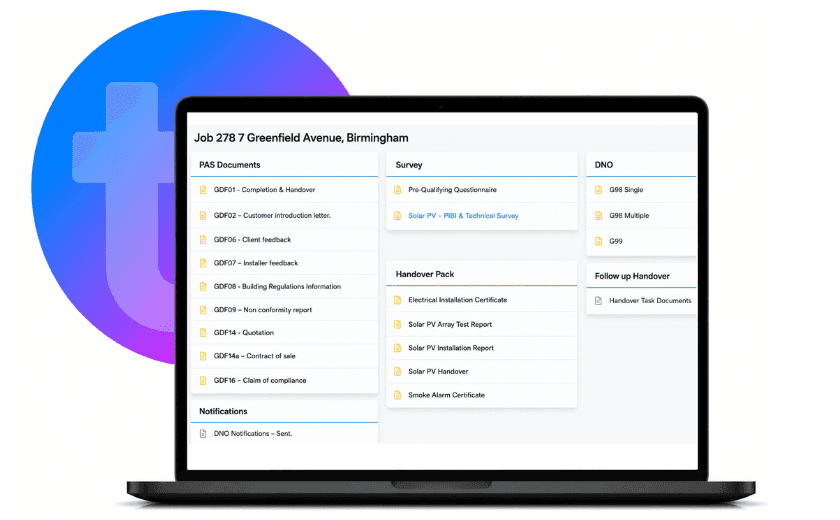
MCS, G98/G99 and certificates organised on every job
Solar installations come with a lot of paperwork. TeamPoint stores and organises your MCS documentation, G98/G99 paperwork, commissioning certificates, electrical test results and warranties against each installation, so everything is in one place when you need it.
Installers complete commissioning and sign-off forms on the mobile app, with mandatory fields and pass/fail checks, and take photos of the finished installation, even without signal.
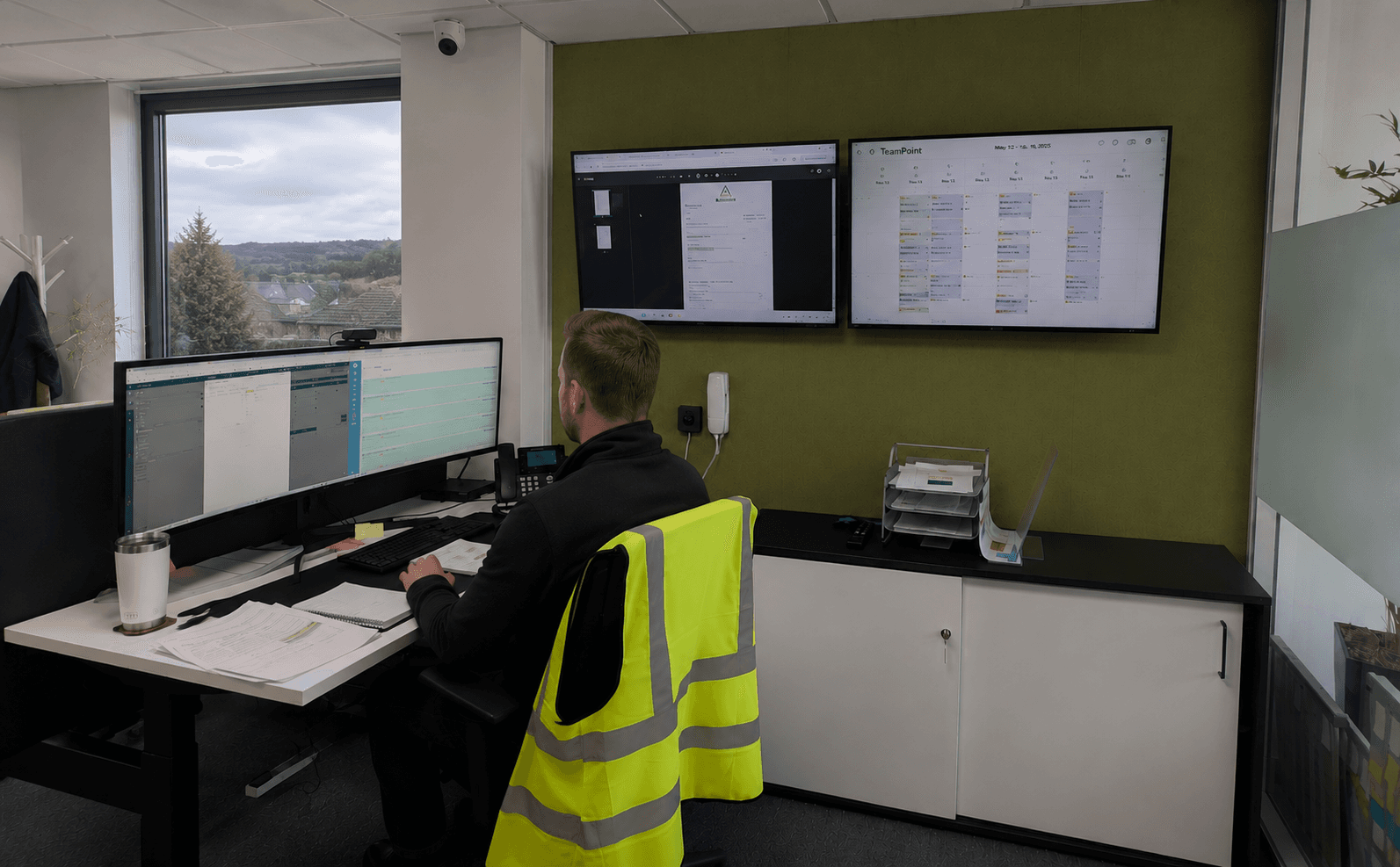
Surveyors, installers and electricians on one schedule
Schedule surveyors, installers, electricians and commissioning engineers using calendar and map scheduling, taking skills, priority and travel time into account, and drag jobs around as plans change.
Subcontract installers and electricians can be allocated work through their own Subcontractor Portal, where they assign it to their operatives, who use the same mobile app and forms as your own team so photos and evidence come back against the right job.

A professional handover, and servicing afterwards
Customer handover documents, certificates and warranties can be shared through the TeamPoint Customer Portal, where customers can also view their jobs and invoices and download completed worksheets.
Installed equipment such as inverters and batteries can be recorded as assets with service dates and history, and maintenance agreements are set up as service contracts with recurring visits generated automatically.
TeamPoint Features for Solar
- Quotations & SalesCreate professional quotations for solar PV systems, battery storage and renewable energy projects, manage sales opportunities and convert accepted quotes into live installations.
- Scheduling & PlanningSchedule surveyors, electricians, installers and commissioning engineers using calendar and map scheduling, ensuring the right people and resources are in the right place at the right time.
- Mobile WorkingProvide field teams with everything they need on site, including job details, technical surveys, photographs, commissioning records, signatures and job progress updates for the office.
- Compliance ManagementKeep DNO applications, MCS documentation, commissioning certificates, electrical test results, warranties and compliance records securely organised for every installation.
- ProjectsManage larger solar installations and multi-site programmes as one Project, with linked jobs, purchasing, variations, invoicing and project P&L kept together.
- Invoicing & PaymentsGenerate accurate invoices quickly using completed project information, helping improve cash flow while reducing administration.
- Customer RelationshipsKeep customer information, survey reports, quotations, installation records, communications and project documents together, giving your team complete visibility throughout the customer journey.
- Business PerformanceMonitor project progress, installation performance, sales conversion, engineer productivity and business profitability with management reporting and tailored dashboards.
- Service ContractsSet up recurring maintenance and inspection agreements for solar PV and battery systems, with planned visits, service windows and future jobs created automatically.
- Purchasing & SuppliersRaise purchase orders for panels, inverters, batteries and mounting kits against each installation or project, record goods received and see material costs feed into profitability.
- Subcontractor ManagementBring subcontract installers and electricians into the same mobile workflow as your own team, so photos, forms, signatures and site evidence come back against the right job.
- Asset & Equipment ManagementKeep records of company tools, test equipment and vans, as well as installed customer equipment such as inverters and batteries, with service dates, certificates and history.
Further Reading for Solar Installers
 Industry Knowledge
Managing Solar PV Installations UK 2026: Software, Workflows & Compliance
Read article → Platform Capabilities
Managing Compliance with TeamPoint: Checks, Evidence & Audit Trails
Read article → Platform Capabilities
From Quote to Completion: Managing Projects with TeamPoint
Read article → Industry Knowledge
What software does a UK retrofit contractor need to manage projects and be audit ready?
Read article → Platform Capabilities
From Planning to Dispatch: Scheduling in TeamPoint
Read article → Platform Capabilities
Working on site with the TeamPoint mobile app
Read article → Platform Capabilities
From Completed Work to Getting Paid: Invoicing & Payments in TeamPoint
Read article → Platform Capabilities
From Quote to Invoice: How TeamPoint Keeps the Commercial Process Connected.
Read article → Industry Knowledge
How to Manage Multi-Site Roofing Contracts
Read article → Job Management Software
What is Job Management Software? The Complete Guide for UK Field Service Businesses
Read article →

Solar installer software QUESTIONS
Still have questions?
Can't find the answer you're looking for? Our friendly UK-based support team is a message away and ready to help.
Talk To Us