Illustration representing organised compliance, with checks, evidence and certification built into a clear working process.

Managing Compliance with TeamPoint: Checks, Evidence & Audit Trails

07.10.26inPlatform Capabilities
Written by
Portrait of a TeamPoint blog author for the Knowledge Centre.
Rosie Cottell
HOME/KNOWLEDGE CENTRE/managing-compliance-with-teampoint-checks-evidence-audit-trails
Platform Capabilities07.10.26

Managing Compliance with TeamPoint: Checks, Evidence & Audit Trails

TeamPoint makes compliance part of the job, keeping checks, evidence, qualifications and audit trails connected so they are simpler to manage and easier to find later.

Compliance is there for good reasons. It helps keep people safe, protects customers and businesses, and gives everyone more confidence that work has been carried out properly.

The problem is that there is rather a lot of it.

Whatever service industry you are in, you will probably agree that compliance demands are increasing. Businesses are being held more clearly accountable for how work is carried out and are expected not only to follow the right process, but to be able to prove that they did.

This means more compliance to manage day to day. Different customers may ask for different evidence, accreditations and standards change, and larger contracts often bring extra checks, approvals and reporting. As a company grows, the challenge increases again, with more engineers, subcontractors, sites, assets and expiry dates to keep track of.

The real difficulty is often not completing the work correctly, but keeping the evidence around it organised and easy to retrieve. Risk assessments, photographs, certificates, approvals and checks can quickly become scattered across phones, inboxes and separate folders.

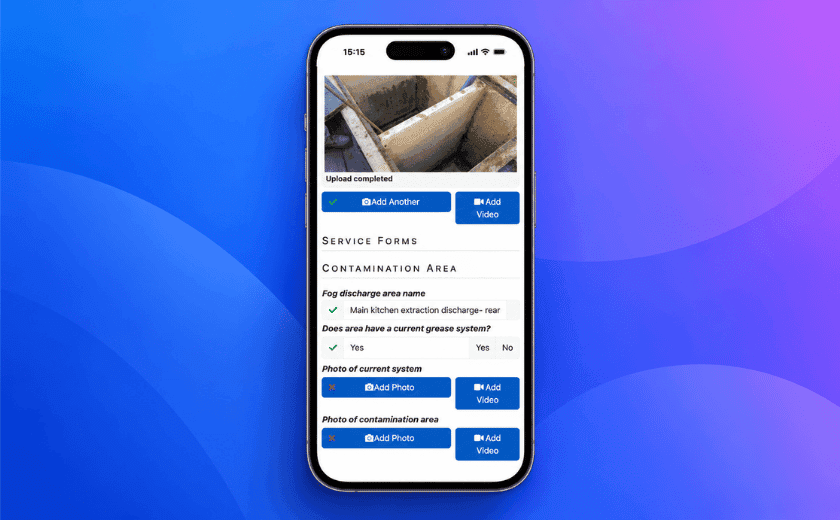
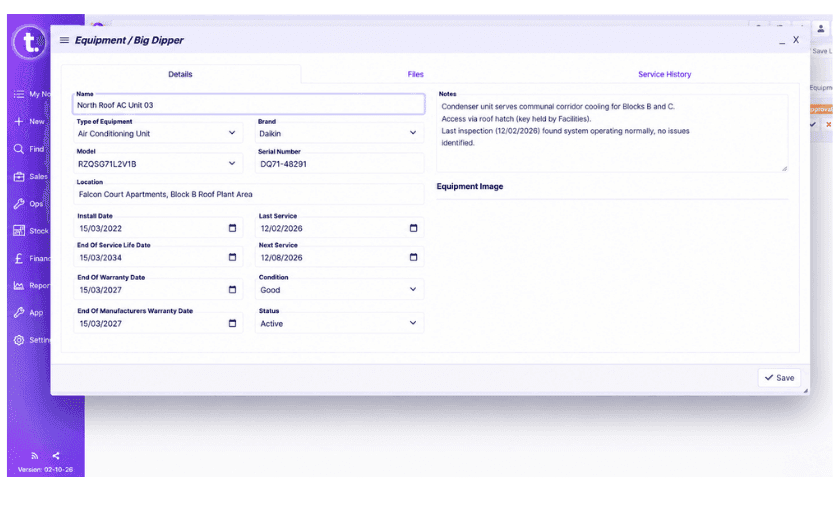
TeamPoint keeps compliance information connected to the work it relates to. RAMS, forms, permits, photographs, signatures, qualifications, checks, certificates, asset records and supporting files can all form part of the wider job record.

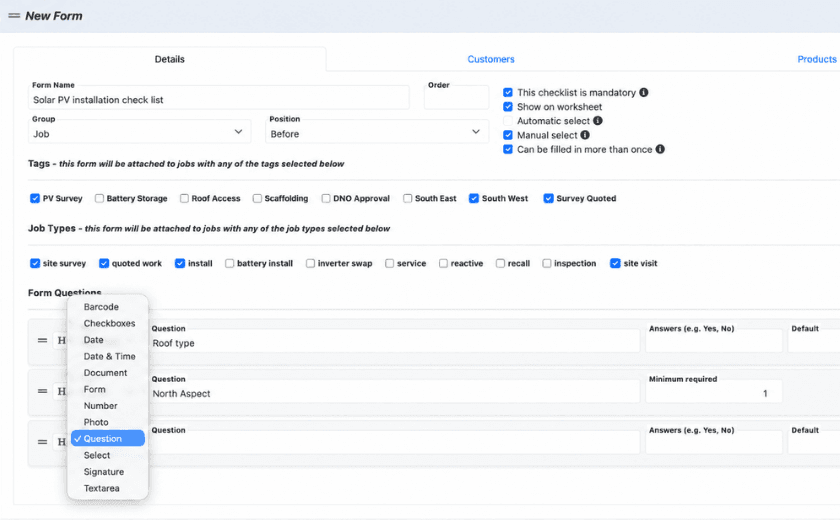
TeamPoint risk assessment form showing mandatory compliance checks linked to different job types.

Compliance is not identical from one business to another either. A roofing contractor, drainage company and solar installer may all need different checks, evidence and approval stages. TeamPoint provides the core tools, but the way they are used can be configured around the business.

This article looks at how TeamPoint can help make compliance easier to manage day to day — from planning the work and gathering evidence to checking it, reporting on it and producing a clear record afterwards.

Building the right compliance steps into every job

A good compliance trail begins before the job begins.

The operative needs to know where they are going, what they are doing and whether there are particular risks, instructions or documents attached to the site. The office may also need to know that the person being allocated has the right skills or qualifications. Some work may require a permit, approval or risk assessment before it can begin.

TeamPoint builds those requirements into the job workflow.

Different job types can carry different forms, checks and risk assessments, so an engineer is not presented with the same generic process every time. In roofing, for example, a roof inspection can have one set of requirements, while a survey, repair, installation or maintenance visit can each have another.

RAMS can be available through the mobile app, while risk assessments can record hazards, controls, PPE, COSHH information and additional notes. Permit-to-work processes can also be built in, including hot works, confined-space and other customer or site-specific permits. Where needed, approvals and signatures can be mandatory before work progresses.

The NFRC’s Safe2Torch guidance is a good example of why this matters. It places the assessment of fire risk at survey and design stage and includes a Safe2Torch checklist before hot works are undertaken. Meeting compliance requirements shapes the way the job is planned, rather than becoming paperwork collected afterwards.


You may also like

Stylised modernist illustration showing office staff, field operatives, customer communication, job records and ongoing service connected across a field service business.
Platform Capabilities
Written byRosie Cottell

From First Enquiry to Ongoing Service: Managing Customer Relationships in TeamPoint

TeamPoint keeps customer information, communication and work together from first enquiry through to invoicing, repeat service and account reviews. That means quicker answers, clearer records and a more consistent customer experience.

28.09.26
Read More
Abstract illustration representing TeamPoint mobile working, with connected routes, job updates and information flowing between operatives on site and the office.
Platform Capabilities
Written byRosie Cottell

Working on site with the TeamPoint mobile app

A practical look at how the TeamPoint mobile app supports engineers and operatives on site, from accessing job information and completing forms to capturing evidence, updating assets and flagging further work. It also shows how information recorded on site feeds back into the wider TeamPoint job record, giving managers better visibility, consistency and information for follow-up, compliance, reporting and invoicing.

20.09.26
Read More
Abstract map-based scheduling illustration showing connected routes, location points and planning paths in TeamPoint brand colours.
Platform Capabilities
Written byRosie Cottell

From Planning to Dispatch: Scheduling in TeamPoint

TeamPoint helps service businesses plan, allocate and adapt work using connected calendar, map and mobile scheduling tools. From planned maintenance and reactive jobs to skills, availability, travel time and reporting, scheduling stays connected to the wider job information so teams can make better decisions as the day changes.

11.09.26
Read More
Abstract geometric illustration representing the TeamPoint quotation process, using blue, navy, purple and yellow brand colours.
Platform Capabilities
Written byRosie Cottell

From Quote to Invoice: How TeamPoint Keeps the Commercial Process Connected.

This guide explains how TeamPoint manages the full quoting process, from the first enquiry or site survey through to pricing, approval, customer acceptance, job, Project or Service Contract creation, invoicing and reporting.

08.09.26
Read More