
MANAGING SUBCONTRACTORS IN TEAMPOINT
SUBCONTRACTORMANAGEMENT
Manage subcontractors alongside your own team
Keep subcontractor details, jobs, documents and site activity connected in TeamPoint. Subcontractors can be managed much like any other worker, with their details stored centrally and access to the mobile workflow they need to complete work, capture evidence and return information from site.
MANAGE SUBCONTRACTORS ALONGSIDE YOUR OWN TEAM
TeamPoint lets you manage subcontractors alongside your own engineers and operatives, so the work they carry out stays connected to the same customers, sites, jobs and projects.
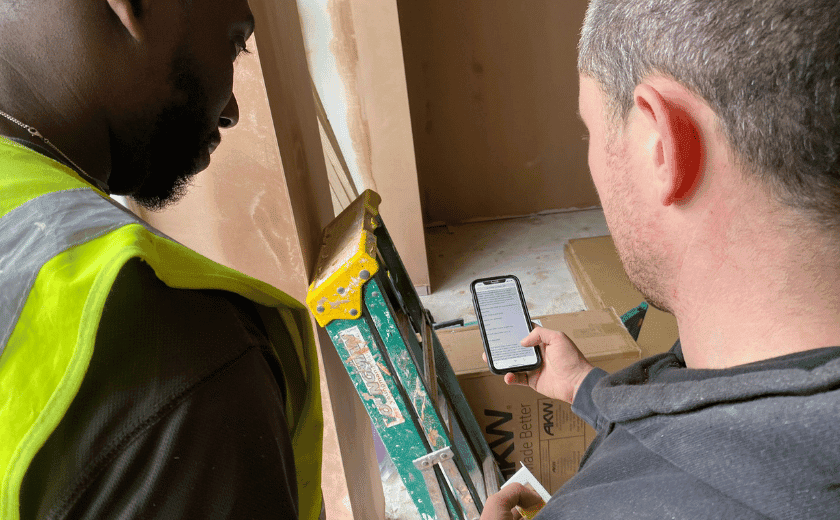
Their details can be held centrally and they can use the TeamPoint mobile app to follow the required job workflow, view the information they need and return photographs, forms, notes and other site evidence. The office gets the information back against the correct job rather than having to chase it through emails, messages or separate paperwork.
That gives you a clearer record of work completed by subcontractors and helps keep delivery consistent, even when part of the job is being carried out by people outside your permanent team.
Key Features
Companies & Operatives
Manage subcontractor companies and their operatives in the same system as your own team.
Credentials & Expiry
Record skills, qualifications, insurance and other credentials, with alerts before they expire.
Restricted App Access
Subcontractors use the same mobile app and job workflow as your engineers, with access restricted to the work they're given.
In the Schedule
Set subcontractors up as scheduling resources, so they sit alongside your own team in the calendar.
Skills Matching
Filter by skill tags to find suitable people for each job, with the final choice left to your planner.
Hand Over to the Company
Allocate jobs to a subcontractor company. Its owner logs in, sees those jobs and schedules their own operatives onto them.
Job Info & Documents
Give operatives the instructions, drawings, safety documents and site details they need for each job.
Same Forms & Checklists
Subcontractors complete your forms, risk assessments and checklists, so evidence comes back in a consistent format.
Photos & Signatures
Photos, notes and signatures are returned against the job, rather than chased by email or text.
Office Checks
Review subcontracted work with pass/fail Checks before the job moves on.
Clear Responsibility
See who is responsible for each part of the work, what's done and what still needs attention.
Subcontract Costs
Raise a purchase order for subcontracted work so its cost is allocated to the right job or Project.
SUBCONTRACTOR MANAGEMENT ACROSS SERVICE INDUSTRIES
TeamPoint helps service businesses manage subcontractors across industries including:
Subcontractors may work differently across each sector, but TeamPoint keeps their jobs, records and site activity connected to the wider operation.

Further Reading on Subcontractor Management
 Job Management Software
What is Job Management Software? The Complete Guide for UK Field Service Businesses
Read article → Industry Knowledge
Managing Solar PV Installations UK 2026: Software, Workflows & Compliance
Read article → Industry Knowledge
How to Manage Multi-Site Roofing Contracts
Read article → Industry Knowledge
What software does a UK retrofit contractor need to manage projects and be audit ready?
Read article → Platform Capabilities
From Planning to Dispatch: Scheduling in TeamPoint
Read article → Running a Service Business
Has Your Service Business Outgrown the Way It Operates?
Read article → Running a Service Business
How to Grow Your Service Business Without Losing Control.
Read article → Digital Transformation
A Practical Guide to Modernising Your Service Business
Read article → Platform Capabilities
Managing Compliance with TeamPoint: Checks, Evidence & Audit Trails
Read article → Platform Capabilities
From Quote to Completion: Managing Projects with TeamPoint
Read article →



Subcontractor Management FAQ
Answers to practical questions about managing subcontractors, assigning work, mobile access and keeping subcontractor activity connected in TeamPoint.
Still have questions?
Can't find the answer you're looking for? Our friendly UK-based support team is a message away and ready to help.
Talk To Us