Stylised modernist illustration showing office staff, field operatives, customer communication, job records and ongoing service connected across a field service business.

From First Enquiry to Ongoing Service: Managing Customer Relationships in TeamPoint

28.09.26inPlatform Capabilities
Written by
Portrait of a TeamPoint blog author for the Knowledge Centre.
Rosie Cottell
HOME/KNOWLEDGE CENTRE/from-first-enquiry-to-ongoing-service-managing-customer-relationships-in-teampoint
Platform Capabilities28.09.26

From First Enquiry to Ongoing Service: Managing Customer Relationships in TeamPoint

TeamPoint keeps customer information, communication and work connected from first enquiry through to invoicing, repeat service and account reviews. That means quicker answers, clearer records and a more consistent customer experience.

At TeamPoint, we know how much good customer relationships matter to the success of a field service business.

What do we mean when we talk about customer relationships in a field service business? It’s difficult to sum it up because we are actually talking about hundreds of practical moments and interactions, spread across different people, sites, jobs and conversations. All the little points of contact and detail that add up to getting a job done well and, hopefully, building a long-term relationship with the client.

Good customer relationships come from communicating clearly, keeping accurate records, making things as easy as possible from the customer’s side and, most importantly, doing the actual job well.

TeamPoint supports those relationships in many different ways. It includes some of the tools you would expect from customer relationship management (CRM) software, such as prospect records, account managers and follow-up actions. Its real strength, though, is in supporting the operational side of the relationship: quoting, scheduling, site work, communication, evidence, invoicing and repeat service.

The customer record connects with contacts, sites, quotations, jobs, emails, documents, invoices, service contracts and account information. What happened before each job is easier to find. What is happening during each job is easier to follow. And the next person who picks up the phone does not have to begin from scratch.

For the customer, that can mean quicker answers, fewer mistakes, fewer repeated explanations and a more consistent experience from one visit or conversation to the next.

Customer records that accurately reflect how the account works

TeamPoint can accommodate customers of all shapes and sizes! At one end of the scale, that might be Mr Taylor at 72 Old Street in Warwick. At the other, it could be a national organisation with dozens of locations, site contacts, a central accounts team and its own pricing, purchasing and invoicing requirements.

A customer record can hold multiple contacts and multiple sites, with each site retaining its own name, address and contact details. Customers can also be grouped where several accounts sit under a wider parent organisation.

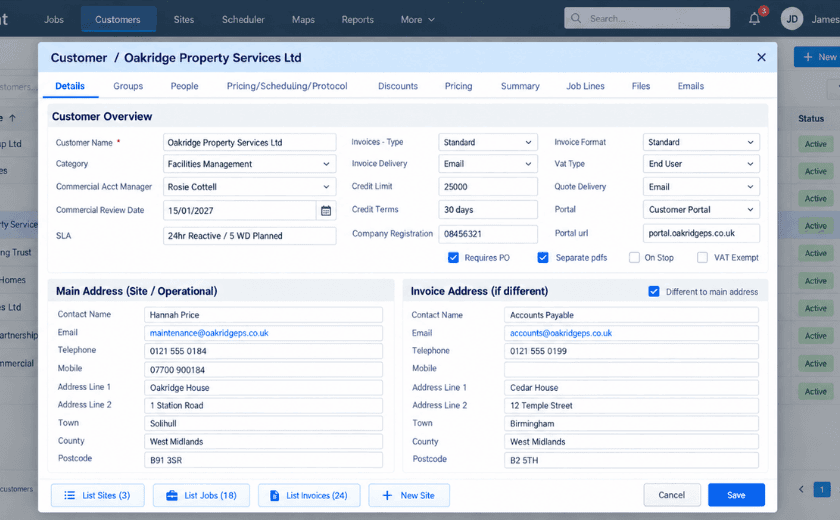
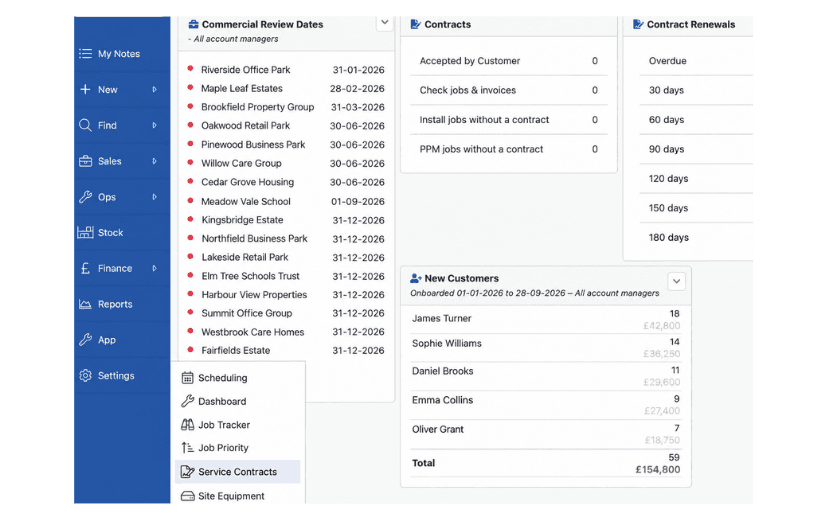
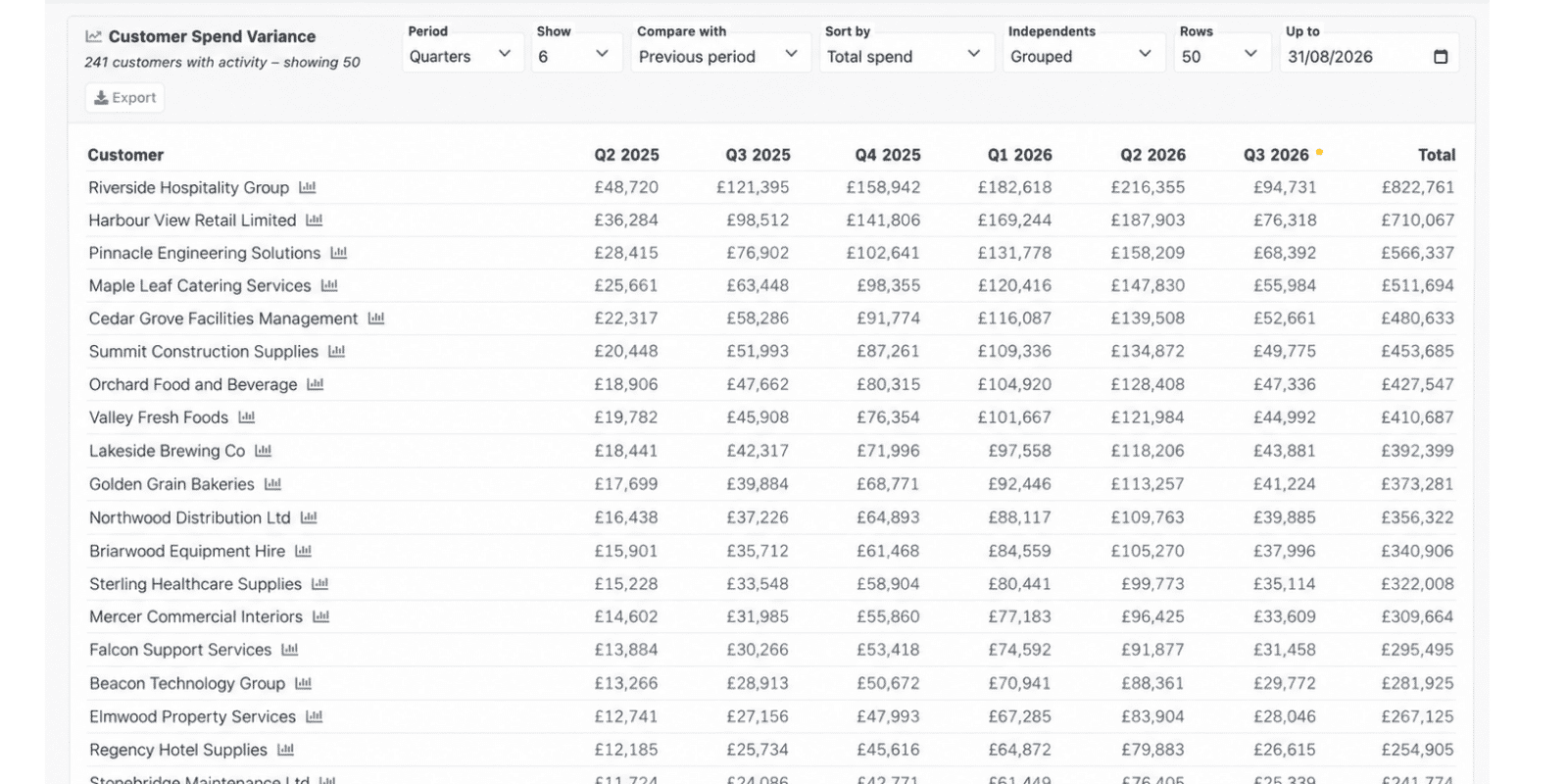
The record can hold practical commercial and account information too: customer category, Commercial Account Manager, Commercial Review Date, invoice address, credit limit and terms, VAT information, invoice and quote delivery preferences, account status and whether a purchase order is required. Customer-level files can also be stored against the record.

Pricing Notes, Scheduling Notes and a customer Protocol give the team somewhere to keep agreed arrangements or working instructions that should not be buried in somebody’s inbox or memory. Customer-specific prices and discounts can also be set where commercial agreements differ from the standard price list.

It is a long list, but the point is quite straightforward. The customer record can reflect the account as it actually works: who the people are, where the work happens, how each site needs to be handled and what has been agreed commercially. So, a facilities management company with twenty sites does not have to be flattened into twenty unrelated records, and the finance contact at head office does not have to be treated as though they are the same person as the site manager waiting for an engineer.

TeamPoint customer record showing customer details, account management, credit terms, PO requirements, site contact information and a separate invoice address.
Customer Details

“You can now see the entire history of everything we’ve done for that site.”

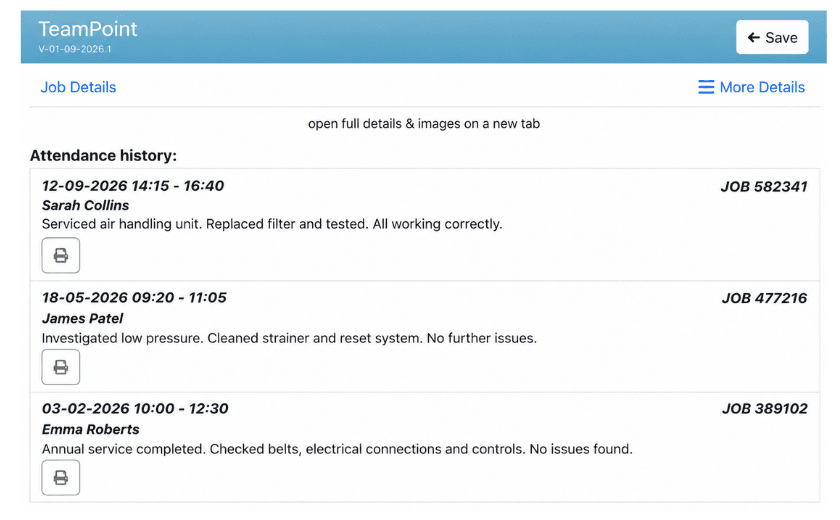
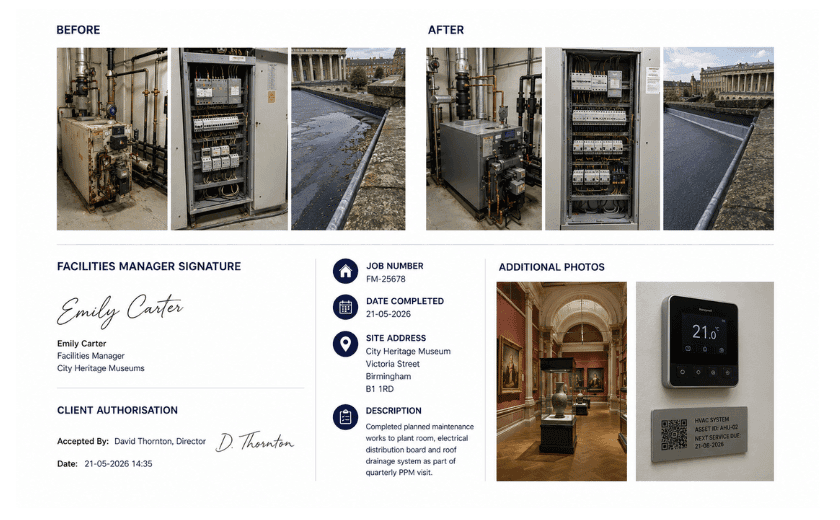
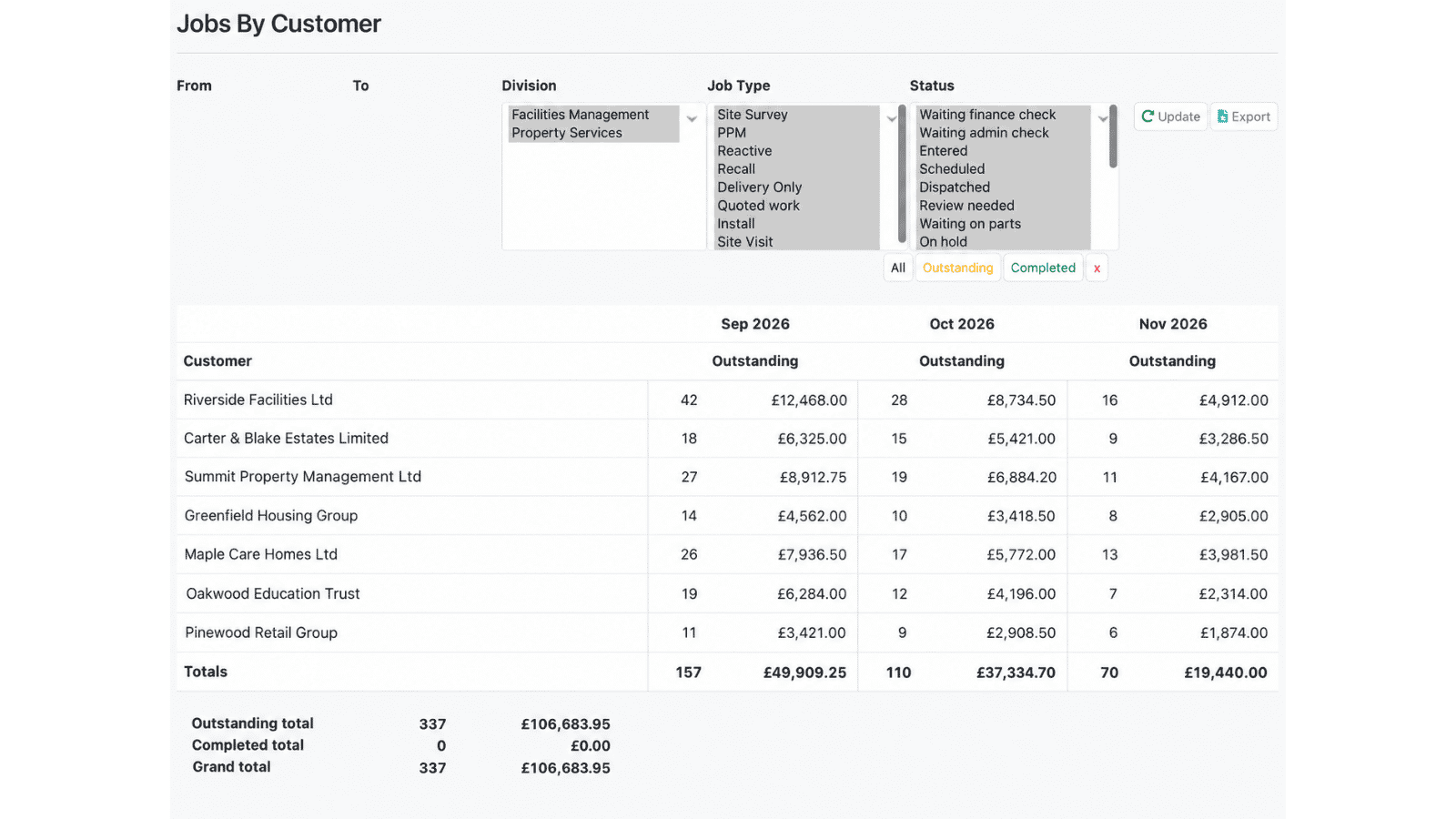
Everything is recorded in teamPoint and remains accessible. From the customer or site record, previous jobs, visits, notes, forms, photographs and attendance history that may go back years are only a few clicks away.

Where permissions allow, engineers can also see previous site and job history through the TeamPoint mobile app before or during a visit. They can check what was found last time, look back at photographs and notes, see who attended and whether an issue has already been recorded. Read more in our article: Working on site with the TeamPoint mobile app.

Assets and equipment can become part of that history too. If a customer calls about a particular boiler, pump or unit, the person dealing with them can look at what has previously been done to it instead of asking the customer to reconstruct the story.

That level of continuity makes a huge difference to your customers experience of your service.

TeamPoint mobile attendance history screen showing previous site visits, engineer names, job numbers and summaries of work completed.
Site History

Supporting complex customer accounts across multiple sites

For some businesses, one customer can mean a whole portfolio of sites. That is common in facilities management, property maintenance, drainage, housing and other multi-site service environments.

TeamPoint keeps the sites under the same customer relationship while allowing each location to have its own address, contacts, assets and working history. Customer groups can also be used where several accounts sit under a wider organisation.

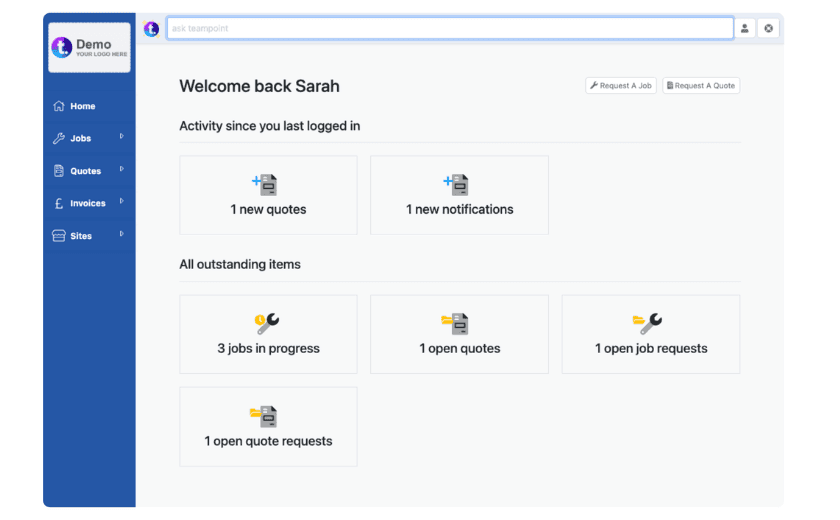
Different people may need different views of the account. A central contact may oversee the contract, another person may handle invoicing, while a site manager only needs information about their own buildings. Customer Portal access can be restricted to selected sites for individual contacts.

Individual sites can also have their own service contracts, recurring services and asset information.

It means the contractor can understand the customer as a whole without losing the detail at individual site level.

Conversations with your customer stay connected with the work

Every job generates many emails and internal messages across your team.

TeamPoint keeps those conversations with the relevant customer, job, quote or invoice record rather than leaving them in the inboxes or phone histories of the office worker responsible for each stage of work. Emails sent from TeamPoint are logged against the item they relate to, replies are captured back into the system, attachments can be included, and other emails can be assigned to the appropriate record.

Customers using the Customer Portal can also send a message against a job. The office can respond through the same thread, leaving a record of conversations such as changed access arrangements, questions about the work or something raised after the visit.

The practical value is that somebody picking up the conversation later can see what has already been discussed rather than asking the customer to explain it all again.

TeamPoint keeps customers informed as work moves on

A good customer experience also depends on keeping people informed as the work progresses.

TeamPoint can send automated email and SMS notifications at different points in the workflow, including when work is booked or scheduled, completed, overdue or under review.

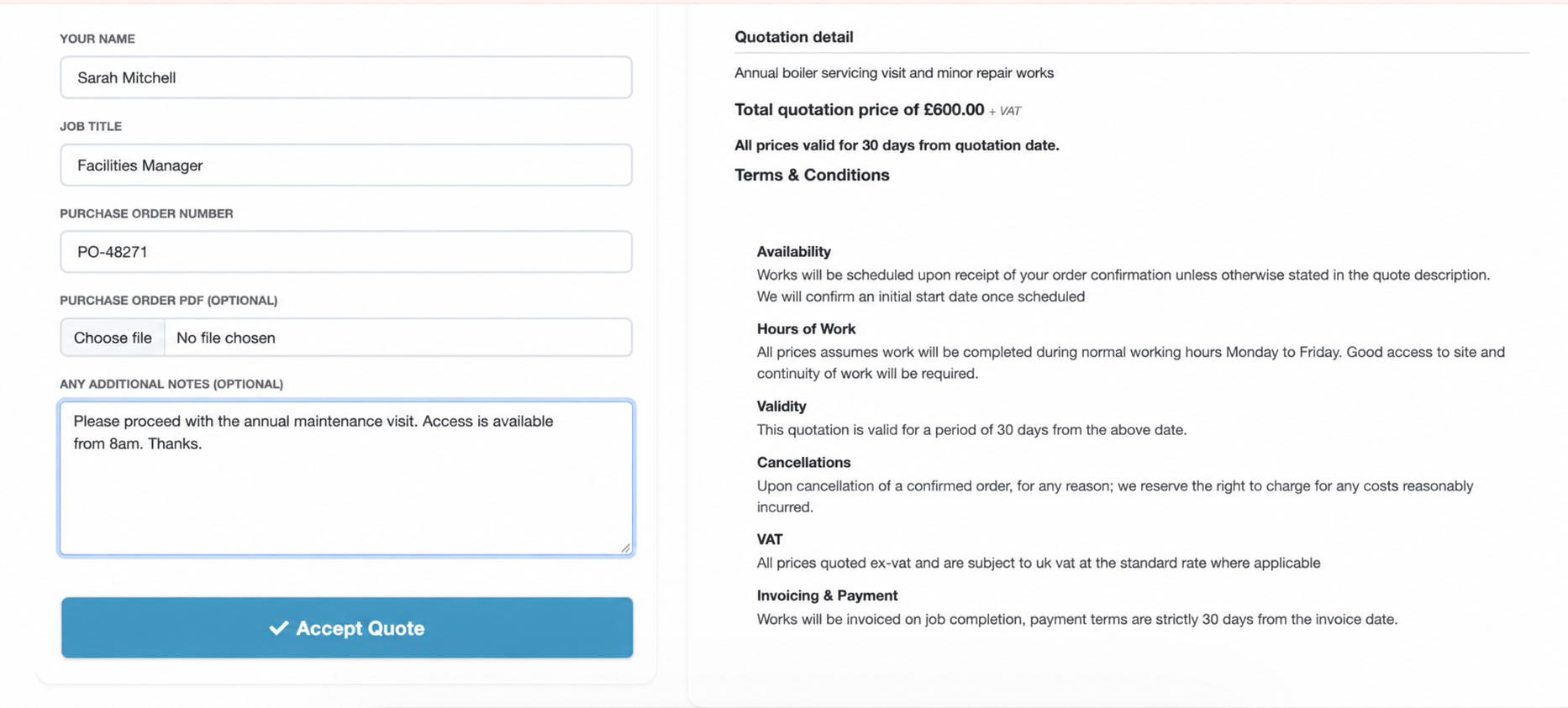
Job confirmations can give the customer the date and start time of a visit and ask them to confirm the appointment. That gives the customer something clear to refer back to and gives the office a more structured way to communicate arrangements.

It also reduces some of the routine “Are you still coming?” and “What is happening with this job?” chasing that otherwise lands back with the office.

You can read more about appointments and allocation in Scheduling and Resource Planning.
You may also like

Abstract illustration representing TeamPoint mobile working, with connected routes, job updates and information flowing between operatives on site and the office.
Platform Capabilities
Written by
Portrait of a TeamPoint blog author for the Knowledge Centre.
Rosie Cottell

Working on site with the TeamPoint mobile app

A practical look at how the TeamPoint mobile app supports engineers and operatives on site, from accessing job information and completing forms to capturing evidence, updating assets and flagging further work. It also shows how information recorded on site feeds back into the wider TeamPoint job record, giving managers better visibility, consistency and information for follow-up, compliance, reporting and invoicing.

20.09.26
Read More
Abstract map-based scheduling illustration showing connected routes, location points and planning paths in TeamPoint brand colours.
Platform Capabilities
Written by
Portrait of a TeamPoint blog author for the Knowledge Centre.
Rosie Cottell

From Planning to Dispatch: Scheduling in TeamPoint

TeamPoint helps service businesses plan, allocate and adapt work using connected calendar, map and mobile scheduling tools. From planned maintenance and reactive jobs to skills, availability, travel time and reporting, scheduling stays connected to the wider job information so teams can make better decisions as the day changes.

11.09.26
Read More
Abstract geometric illustration representing the TeamPoint quotation process, using blue, navy, purple and yellow brand colours.
Platform Capabilities
Written by
Portrait of a TeamPoint blog author for the Knowledge Centre.
Rosie Cottell

From Quote to Invoice: How TeamPoint Keeps the Commercial Process Connected.

This guide explains how TeamPoint manages the full quoting process, from the first enquiry or site survey through to pricing, approval, customer acceptance, job, Project or Service Contract creation, invoicing and reporting.

08.09.26
Read More
Close-up of loft insulation rolls beneath exposed timber framing and brickwork during a UK home retrofit.
Industry Knowledge
Written by
Portrait of a TeamPoint blog author for the Knowledge Centre.
Rosie Cottell

What software does a UK retrofit contractor need to manage projects and be audit ready?

A practical guide to the software UK retrofit contractors need to manage complex projects, connect specialist systems, reduce admin and keep project information clear, complete and ready for reporting or audit.

02.09.26
Read More