Quote templates that make quoting quicker.
TeamPoint quotation templates are designed to give businesses consistency without forcing every customer, division or type of work through the same format.
A company may only need a small number of quote templates, or it may need several for different divisions, job types, customers or recurring kinds of work. TeamPoint can support as many as required, with templates including pre-populated line items, pricing, standard text and terms and conditions.
The design and branding can also be tailored to match the rest of the business. Logos, colours, layout and presentation can be configured so the quotation feels like part of the same company identity as the website, emails and other customer-facing material rather than looking like a generic document produced by software.
Terms can cover areas such as working hours, availability, quotation validity, cancellation, VAT and payment arrangements. The person preparing the quote selects the appropriate PDF template, can amend the quotation where needed and can preview the finished document before it is sent. The templates themselves are configured with the customer during setup. For a smaller company, that might mean two or three well-designed templates covering most of its work. A larger contractor may need different templates across divisions, customers or contract types.
:quality(90) "TeamPoint quotation with customer options and online acceptance") With TeamPoint you will know the expected profit margin before the quote goes to the customer.
With TeamPoint you will know the expected profit margin before the quote goes to the customer.
As a quotation is being built in TeamPoint, the selling price is not shown in isolation. The person preparing it can also see the total cost behind the work, expected gross profit and margin percentage.
A £50,000 job may look attractive in terms of turnover, but if labour, materials, subcontractor costs or supplier prices have pushed the margin down, that is visible before the quotation leaves the business.
Discounts can also be applied at line-item level, so their effect on the commercial position can be considered as part of the quote.
For the person reviewing it, the likely profitability of the work is visible while the pricing decision is still being made rather than only becoming clear once the job has been delivered.
You can offer different options in a single quote.
Some jobs come with choices. A customer may be deciding between two different scopes, comparing specifications or considering whether to add extra work while the main job is being done.
TeamPoint can keep those choices within one quotation. Line items can be grouped into main options, where the customer chooses between alternatives, and optional extras, which can be added to whichever option they select.
For example- a roofing contractor preparing a quote for a customer who definitely needs the main roof replaced, may also want the flat roof done at the same time and has asked for a separate price for the porch roof. The quotation could show:
The customer sees those choices together and can select the combination they want. Before a decision is made, TeamPoint can also show the maximum potential quote value based on the highest-value main option together with all optional extras. Once the customer accepts, the quotation value updates to reflect what has actually been chosen.
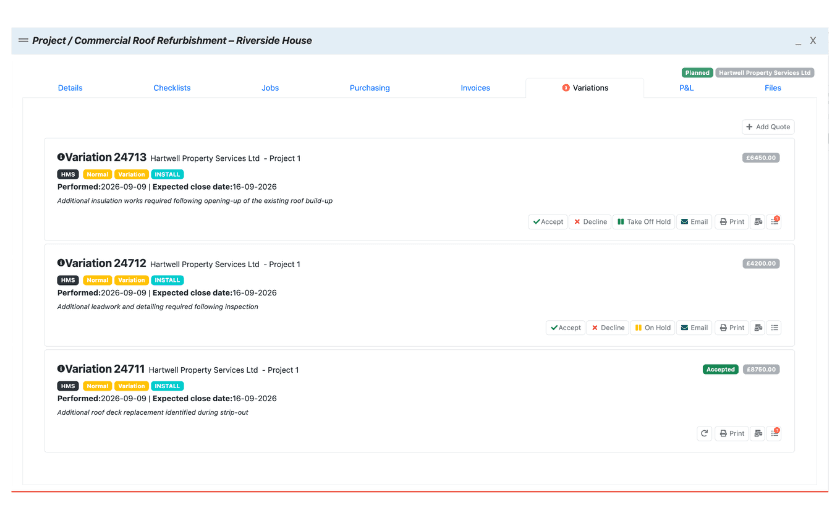
For a Project quotation, the accepted options and extras can then feed directly into the value of the Project created from the quote.





:quality(90) "TeamPoint Quotes by Customer report")