:quality(68))
Managing Customer Relationships in TeamPoint
CustomerRelationships
Give Your Team and Your Customers a Clearer View of Every Job
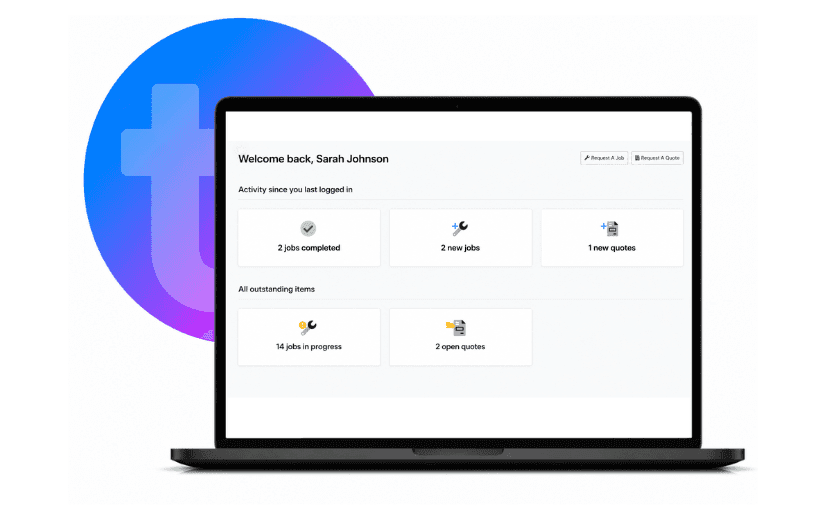
TeamPoint helps you build stronger customer relationships by keeping customer records, quotations, jobs, projects, documents and communications connected in one place. Your office team can quickly view customer history, site information, previous work and shared documents, helping them respond professionally and keep customers informed. With the TeamPoint Customer Portal, customers can access the information you choose to share, including quotations, documents and job-related records. Whether you're managing one-off jobs, long-term contracts or multi-site customers, TeamPoint gives your business a complete customer view from first enquiry through to completed work, invoicing and ongoing support.
Build Better Customer Relationships
Complete Customer Visibility- Keep quotations, jobs, projects, invoices, documents, notes and communication together in one customer record.
Faster Customer Service- Give your office instant access to customer history, site information and previous work.
Customer Portal Access- Allow customers to view the information you choose to share, including quotations and documents.
Shared Documents- Store and share important files such as certificates, drawings, reports, warranties and project documents.
Better Team Communication- Help sales, office staff, planners, engineers and managers work from the same customer information.
Support Long-Term Relationships- Manage one-off work, repeat customers, service contracts and multi-site organisations with a complete history.

Key Features
Customer Records- Store customer details, contact information, sites, jobs, quotations, projects and documents in one place.
Customer Portal- Give customers secure access to selected information, helping reduce admin and improve communication.
Online Quote Access- Allow customers to view and manage quotations through the portal.
Shared Documents- Share selected documents, certificates, reports and project information securely with customers.
Multi-Site Management– Manage customers with multiple properties, locations or service areas from one connected record.
Contact Management- Store multiple contacts, roles, phone numbers and email addresses against each customer or site.
Job History- View previous jobs, completed work, site notes and ongoing issues before speaking to a customer.
Project Records- Keep larger works, stages, documents and updates connected to the customer record.
Internal Notes & Messaging- Record important information, assign tasks and communicate with colleagues from within TeamPoint.
Connected Workflow- Link customer information with quotations, scheduling, mobile working, invoicing, compliance and reporting.
Industries We Support
TeamPoint helps businesses across a wide range of industries manage customer relationships, including:
Every business benefits from the same connected customer management tools, with records, documents, portal access and workflows adapted by TeamPoint to fit the way your business operates.

Related Articles:
From First Enquiry to Ongoing Service: Managing Customer Relationships in TeamPoint
What is Job Management Software? The Complete Guide for UK Field Service Businesses.
Has Your Service Business Outgrown the Way It Operates?
How to Grow Your Service Business Without Losing Control.
Is it Time to Change your Job Management Software?
A Practical Guide to Modernising your Service business.
How to manage Multi-Site Roofing Contracts.
Grease Trap Servicing: What to Look for in a Field Service Management Platform
Commercial Cleaning Management Software UK: What Growing Cleaning Businesses Need in 2026




Frequently asked Questions
Find answers to some of the most common questions about TeamPoint's Customer Relationships software. Whether you're managing one-off customers, long-term contracts or multi-site organisations, these FAQs explain how TeamPoint helps you keep customer information organised, improve communication and give customers access to the information they need.
Still have questions?
Can't find the answer you're looking for? Our friendly UK-based support team is a message away and ready to help.
Talk To Us